Free Minecraft Server Hosting - Is It Worth It?
On this page
Free Minecraft server hosting exists and it works - with real trade-offs. Aternos gives you a free server that shuts down about 5 minutes after everyone leaves and makes you queue to start it again; Minehut gives you 10 player slots but only 4 hours of playtime per day. Self-hosting on your own PC is free too, but it's a technical project that exposes your home IP. If your group plays regularly, a paid server like LuckyChunk ($20/month, up to 20 players, always on, ready in under a minute) removes every one of those limits at once.
If you're looking for free Minecraft server hosting, you've probably already seen Aternos and Minehut show up everywhere. They work - kind of. But there's always a catch, and the catch is usually "your server turns itself off the moment everyone leaves, and you wait in line to turn it back on."
Here's an honest look at every free option and when it makes sense to just pay the $20/month instead.
Free Option 1: Aternos
Aternos is genuinely free Minecraft server hosting - no credit card, no trial period, no player cap on paper. It's the one everyone tries first, and the trade is simple: their servers are paid for by ads and shared by millions of users, so your server only runs while people are actually on it.
How it works
- Create an account on the Aternos website
- Click "Create Server" and pick your Minecraft version
- Start the server when you want to play - this is where the queue happens
- Share the address with friends
The catch
- You queue to start it. Every session begins with someone starting the server on the Aternos
website and waiting. Normally that's a few minutes; on busy evenings there can be hundreds of servers in line
ahead of you and it stretches past 10. Either way, "let's play" always has a waiting room.
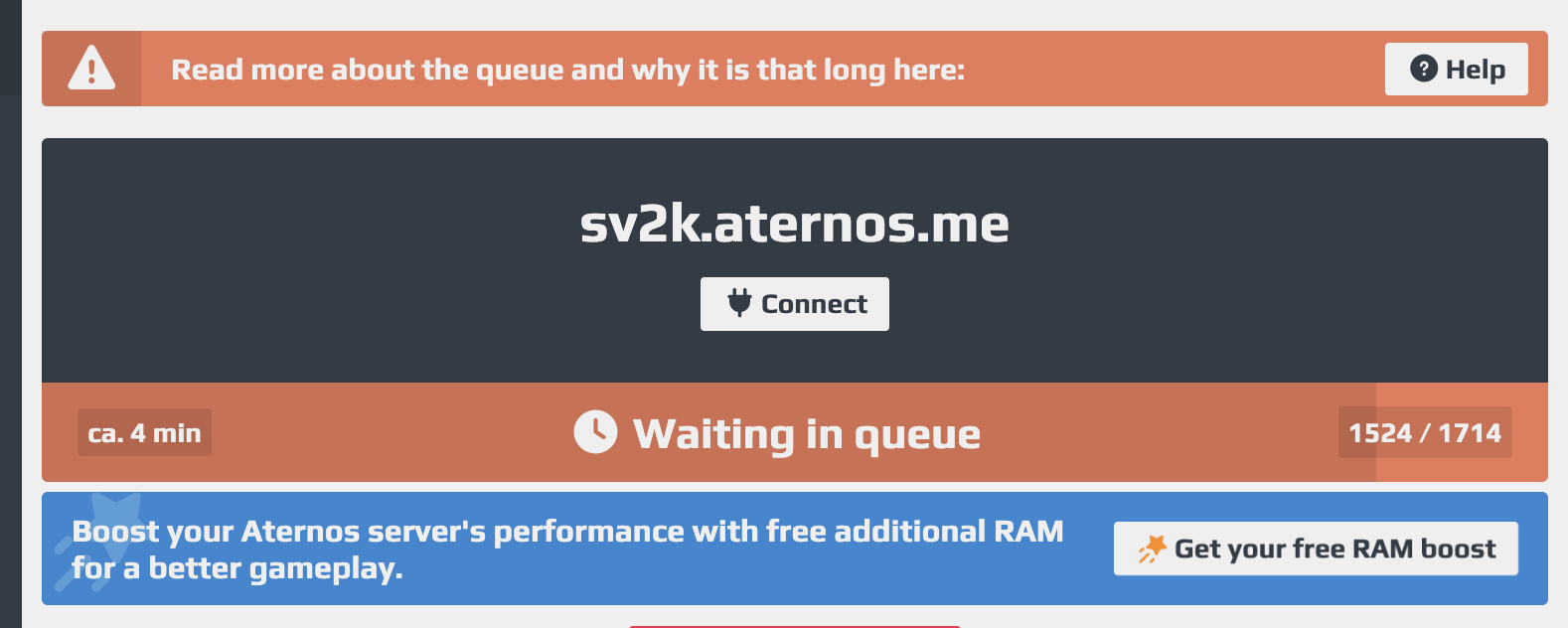
- It shuts down about 5 minutes after the last player leaves. A countdown appears the moment the server is empty. Next session, back to the queue. Keeping it running 24/7 is explicitly against their rules - the workaround videos on YouTube get servers suspended.
- Ads everywhere. The website is covered in them. That's the business model - your patience pays the bill.
- Limited hardware. You get roughly 2-2.5 GB of RAM and 4 GB of storage, shared with thousands of other servers. Fine for a few players; expect lag when your group grows or someone flies over a lot of new terrain.
Free Option 2: Minehut
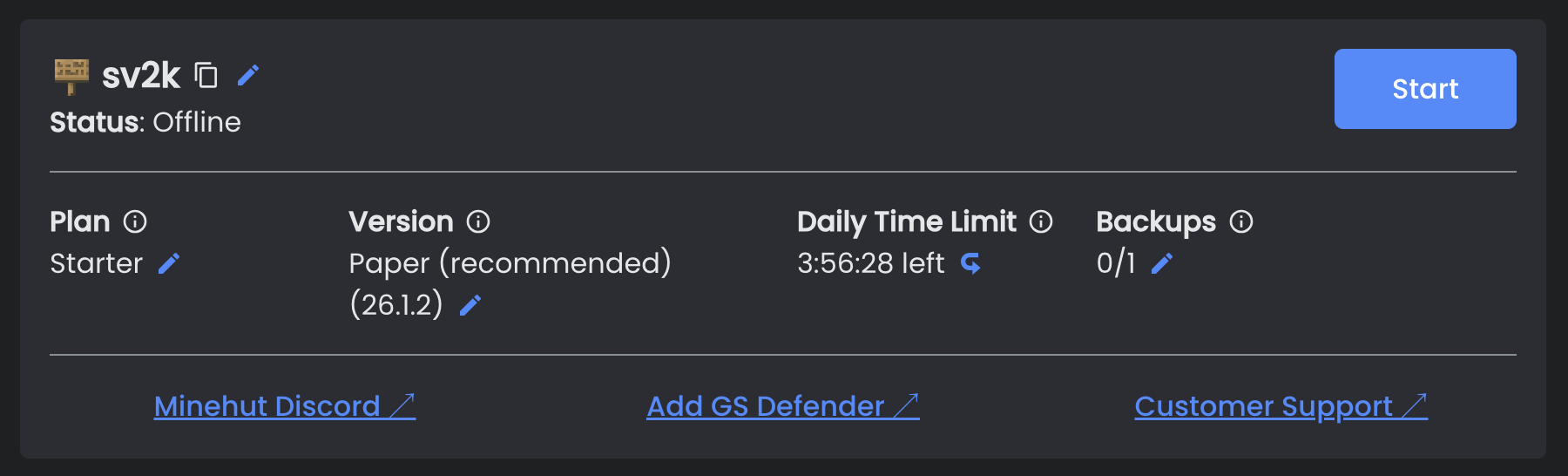
Minehut's free plan gives you a server with 10 player slots and 1 GB of RAM, but with two structural catches: your friends connect through Minehut's shared lobby instead of straight to your server, and you get 4 hours of playtime per day.
How it works
- Create a Minehut account
- Create a server through their dashboard
- Friends join the Minehut network address, then hop to your server from the lobby
The catch
- 4 hours of playtime per day. The clock resets at 1am PST, and it's the limit that sneaks up on you - a lazy Saturday of building blows through it before dinner. This is the newest restriction and the old reviews don't mention it.
- 10 player slots. Hard cap. The eleventh friend waits.
- No direct address. Players connect to Minehut's shared lobby first - alongside everyone else on the network - and then join your server from there. It works, but "join minehut.gg, then type this command" is a worse invite than "here's our address."
- Thin hardware. 1 GB of RAM and a slice of a CPU core. Plugins are technically unlimited now, but the RAM runs out long before your plugin wishlist does.
- Built to upsell. The dashboard reminds you regularly that every limit disappears on a paid plan. That's fair - it's how free tiers work - but know what you're signing up for.
Free Option 3: Self-Hosting on Your Own Computer
Self-hosting means running the server program on your own PC - no queues, no ads, no playtime clock, no player cap. The costs are your time and your privacy: you set everything up yourself, and everyone who joins gets your home IP address.
What's involved
- Download the official Minecraft server software
- Install the right Java version and configure the server
- Set up port forwarding on your router
- Share your public IP address with friends
We have a step-by-step walkthrough in our how to make a Minecraft server guide - including the port forwarding part, which is where most people's afternoon goes.
The catch
- It's a technical project. Port forwarding, Java versions, firewall rules - you're the admin now.
- Exposes your home IP. Everyone who connects can see it, and it roughly locates your home network. Think about who's getting the address.
- Only online while your PC is on. Friends can't play while you're at school, asleep, or your internet is down.
- Your PC pays for it. Hosting and playing on the same machine at the same time hits performance hard.
Comparison: Free Options vs Paying
| Feature | Aternos | Minehut | Self-hosted | LuckyChunk |
|---|---|---|---|---|
| Cost | Free | Free | Free | $20/mo |
| Starts instantly, no queue | ✗ | ✓ | ✓ | ✓ |
| Online 24/7 | ✗ (stops ~5 min after empty) | ✗ | Only while your PC is on | ✓ |
| Daily playtime limit | None | 4 hours/day | None | None |
| Player limit | No hard cap, lags past a few | 10 | Depends on hardware | 20 |
| Your own direct address | ✓ | ✗ (through the lobby) | ✓ | ✓ |
| Ad-free | ✗ | ✗ | ✓ | ✓ |
| Home IP stays private | ✓ | ✓ | ✗ | ✓ |
| Setup difficulty | Easy | Easy | Hard | Easy |
What About the Other Free Hosts?
Every other free host you'll find - server.pro, PloudOS, FalixNodes, and whatever new name is trending on YouTube this month - runs on the same economics as Aternos and Minehut, so they have the same shape of catch: servers sleep when empty, hardware is thin, and something (a queue, a timer, a coin system, an ad wall) rations the free resources. There's no secret free host without trade-offs; if one existed, everyone would already be on it.
The pattern to watch for is "free" hosts that are really trials or coin systems, where the server stops unless you log in daily, watch ads, or invite friends. That's not hosting, that's a chore with a server attached. Aternos and Minehut are the honest end of the free spectrum, which is why they're the two worth comparing.
When Free Hosting Makes Sense
Free hosting is the right call when you're testing the waters. It's fine if:
- There's only 2-3 of you and you play casually
- You don't care whether the server is reachable at 11 PM on a Tuesday
- You want to try multiplayer before spending any money
- Nobody in your group will lose their mind over a queue or a playtime clock
For a quick session with a couple friends, Aternos and Minehut genuinely get the job done. Just don't expect it to feel smooth, and don't build anything you'd cry about losing.
When It's Worth Paying
Free hosting stops being worth it the moment the limits cost more in patience than $20 costs in money. The usual breaking points:
- Your group is bigger than 4-5 people
- You're sick of queueing or restarting the server every single session
- Minehut's 4-hour clock keeps ending your Saturday builds early
- The lag is bad enough that PvP is unplayable and blocks take a second to break
- Someone wants to play at 11 PM but nobody's around to start the server
- You want your own address instead of routing friends through a lobby
What paying actually buys you - and how the prices break down across Realms, traditional hosts, and everything else - is covered in our how much does a Minecraft server cost guide.
LuckyChunk: the simple paid option
LuckyChunk is $20/month, one plan, everything included. Against the free hosts, here's what changes:
- No queues - the server is ready when your friends are
- No playtime clock, no shutdowns, no ads
- Up to 20 players without lag
- Always on - your friends play even when you're not around
- Your own direct server address
- Any version you want - current like 26.2, or the old ones like 1.8.8 and 1.12.2
- Zero technical knowledge needed
If you've been on Aternos for a month and the queue is the part you dread, this is the easiest upgrade there is. Pick a version, pay, done.
The Bottom Line
Free Minecraft server hosting works. It's just never free of friction - you pay in queues, playtime clocks, ads, or your own evenings spent doing server admin. If you're testing the waters or play once in a while, Aternos or Minehut will do. Once your group plays regularly, the restarts and waiting rooms get old fast.
Try a free host first if you want - that's honestly the right order. If you hit the point where it's more frustrating than fun, $20/month fixes all of it at once.
Want the full picture of every way to play together? Check our how to play Minecraft with friends guide. Or if you want the full DIY route, here's how to make a Minecraft server from scratch.
Quick Answers
Is Aternos actually free?
Yes, completely - no credit card, no trial that expires. The cost is convenience: you queue to start the server, it shuts down about 5 minutes after everyone leaves, and the hardware is modest because ads are paying for it. Free in money, expensive in patience.
Why does my free server keep turning off?
Because free hosts only run servers that have players on them - it's how they afford to be free. Aternos starts a shutdown countdown the moment the server is empty, and Minehut hibernates idle servers too. It's not a bug and there's no supported way around it; a server that stays up around the clock is what the paid options are selling.
How many players can a free server handle?
Minehut's free plan has a hard cap of 10 slots. Aternos has no fixed cap, but with roughly 2-2.5 GB of RAM the lag shows up after a handful of players. Realistically, plan on 3-5 friends playing comfortably on either - beyond that, free hardware is the bottleneck.
Is free Minecraft server hosting safe?
Aternos and Minehut are legitimate, well-known services - safe to use with a throwaway-quality password and the understanding that your world lives on their hardware. The unsafe pattern is downloading "free server" tools from random sites or YouTube descriptions. And self-hosting is safe for your account but shares your home IP with everyone who joins.
Can I keep a free server online 24/7?
No. Aternos explicitly forbids it and suspends servers using the auto-clicker and bot tricks that claim to work. Minehut's free plan is capped at 4 hours of playtime a day, so around-the-clock isn't on the table there either. An always-on server is exactly the thing free hosting doesn't include.