How to Play Old Minecraft Versions
On this page
Every old version of Minecraft is still fully playable: for singleplayer, pick the version in the Minecraft Launcher's Installations tab; for multiplayer, you need a server running that exact version. Your one copy of Java Edition includes everything back to the earliest releases at no extra cost. The catch is multiplayer - most public servers only run current versions, so playing 1.8.9 or 1.12.2 with friends usually means a private server. LuckyChunk runs the old versions most hosts don't bother with ($20/month, up to 20 players, ready in under a minute).
Maybe it's the version you watched on YouTube in 2015. Maybe it's 1.8 PvP, or the world your modpack lived in, or you just want Minecraft the way it was before it got three updates deep into stuff you never asked for.
Whatever pulls you back: the old versions never left. Mojang keeps every release in the launcher, and going back takes about two minutes. Here's how, plus the part nobody explains properly - how to play them with friends.
Why People Go Back
People return to old Minecraft versions for concrete reasons, not vague nostalgia - usually one of these:
- 1.8.9 combat. In 2016 the combat update added an attack cooldown, and a chunk of the community never forgave it. Before that, PvP was pure click speed - sword spam, fishing rod combos, blocking with your sword instead of a shield. The entire competitive PvP scene stayed on 1.8.9, and to this day the big minigame servers make sure 1.8-style combat still works.
- 1.12.2 and the modded era. Ask anyone who played modpacks in 2017-2019 what version they lived in. 1.12.2 held the biggest mod library in the game's history for years, and it's still many people's mental image of "my Minecraft."
- The version a world belongs to. Old worlds feel right in their own version. Loading your 2014 survival world in a current release technically works, but the terrain borders where old generation meets new are jarring - some people would rather visit the world as it was.
- Beta purism. A smaller crowd goes all the way back to Beta 1.7.3 - before hunger, before sprinting, when the scariest sound in the game was your own cave making noises. It's a genuinely different game back there.
How to Launch an Old Version (Singleplayer)
To play an old version alone, create an installation for it in the Minecraft Launcher: Installations, New Installation, pick the version, then select it next to the Play button. The full walkthrough - including how to keep your worlds safe when hopping between versions - is in our how to change your Minecraft version guide, so we won't repeat it here.
One launcher detail that matters more for old versions: the version dropdown shows full releases by default. The really old stuff - Beta and Alpha - stays hidden until you turn on "Show historical versions of Minecraft: Java Edition in the Launcher" in the launcher's Settings.
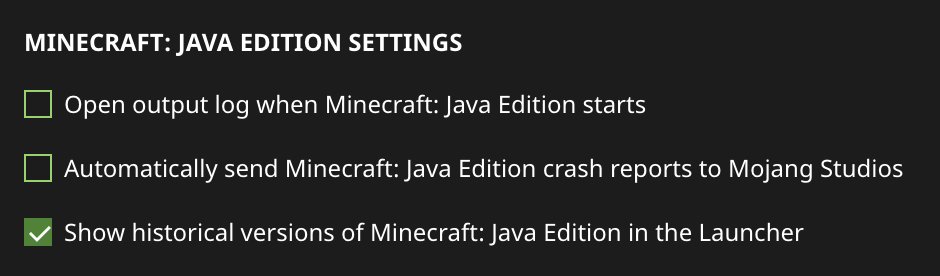
And the golden rule: never open a world you care about in a different version without a backup (Edit > Make Backup on the world screen). Newer versions upgrade worlds permanently; older versions refuse newer worlds.
Which Version Should You Go Back To?
If you know your version, skip ahead. If you only know the feeling you're chasing, this table maps eras to version numbers:
| Version | Year | What it's known for |
|---|---|---|
| Beta 1.7.3 | 2011 | The last version before hunger and sprinting. Minecraft at its rawest - the one the oldest YouTube videos were recorded in. |
| 1.7.10 | 2014 | The first great modded era. Tekkit-style packs, and the version a lot of 2014-2015 servers ran. |
| 1.8.9 | 2015 | The PvP version. Sword blocking, no attack cooldown, the golden age of minigame servers and YouTube Minecraft. |
| 1.12.2 | 2017 | The modded golden age, and the last version with the "old" feel before 1.13 reworked the oceans and the game's internals. |
| 1.16.5 | 2021 | The Nether update era - recent enough to feel modern, old enough that a lot of people's favorite survival worlds live there. |
Going back also means giving things up, and it's worth knowing what: no elytra or shulker boxes before 1.9, no ocean life before 1.13, the old 256-block world height, and the pre-1.16 Nether that was one biome of nothing but netherrack. That's not a warning - half the appeal is the smaller game - but load in expecting 2015 and you won't be disappointed by it.
How to Play Old Minecraft Versions with Friends
Multiplayer on an old version needs a server running that exact version, and everyone joining must switch their launcher to match - the server's version always wins. That's the whole trick, but it has a catch the launcher can't fix: almost every public server runs current versions only. Nobody maintains a public 1.12.2 survival server in 2026. So playing an old version with friends almost always means a private server that you put on that version - self-hosted with an old server file, or hosted on a service that still offers old versions. LuckyChunk keeps the old ones in the version dropdown for exactly this reason. (New to multiplayer entirely? Our how to play Minecraft with friends guide compares every way to get a shared world first.)
Minecraft 1.8 servers
1.8 survival servers are almost extinct in public, with one big exception: the major minigame networks. Hypixel still lets 1.8.9 clients connect specifically because the PvP community refuses to leave, so for Bedwars and duels with 1.8 combat, that's your free option today.
For your own 1.8 world - survival with the old combat, just your friends - you make a private server on 1.8.8 or 1.8.9: self-host with the old server file (our how to make a Minecraft server guide covers it; note old versions want Java 8, not the current Java) or pick 1.8.8 from the version dropdown on LuckyChunk and be done in a minute. Everyone joins on a 1.8.9 installation, fishing rods ready.
Minecraft 1.12.2 server
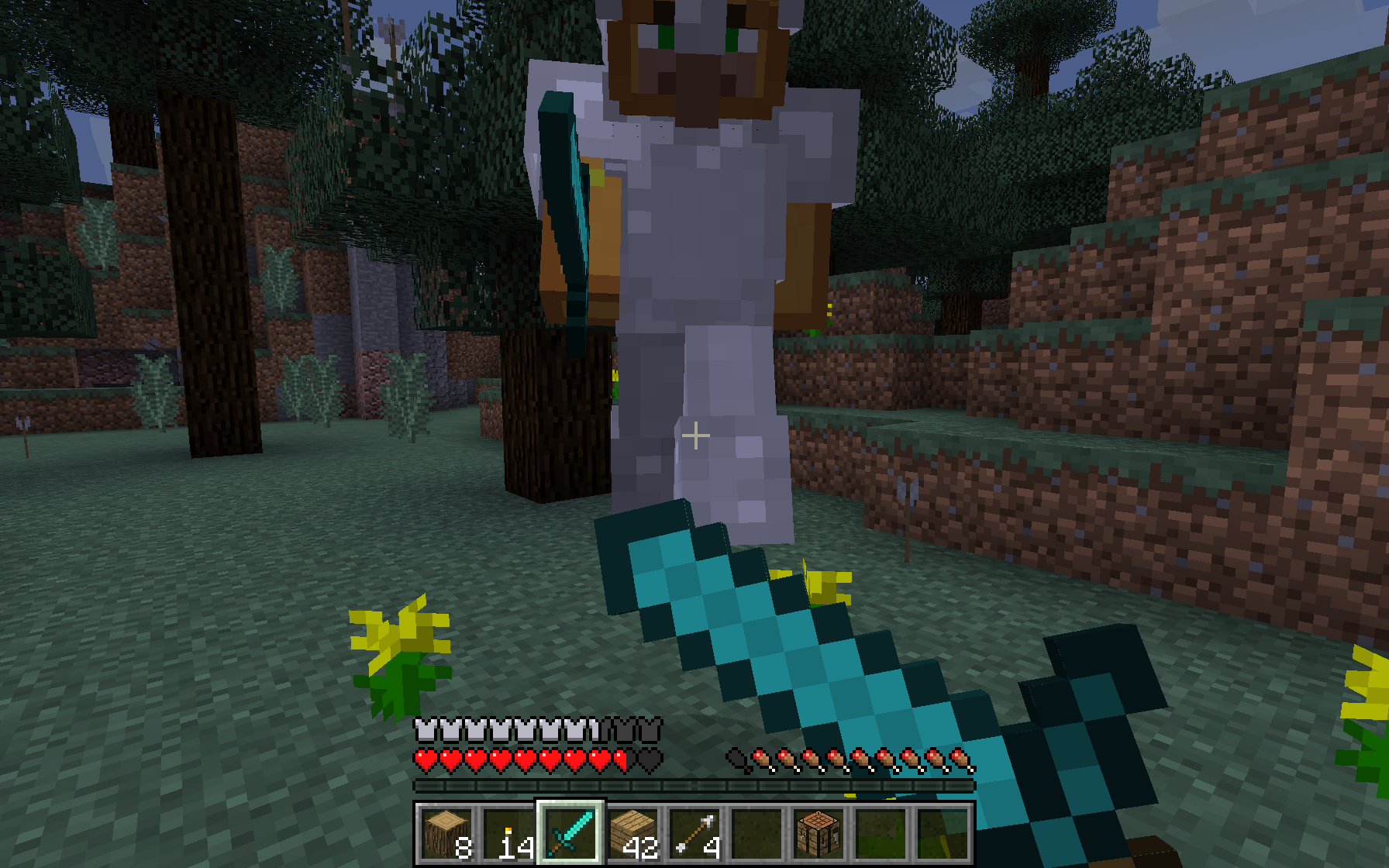
A 1.12.2 server works the same way: private server on 1.12.2, friends switch their launchers to 1.12.2, everyone's in 2017 again. LuckyChunk runs vanilla 1.12.2, and honestly, vanilla 1.12.2 survival holds up - it's the game most people actually remember, minus the mods.
About those mods: if what you're really after is the 1.12.2 modpack experience, be aware that needs a Forge server with the mods installed server-side, which means self-hosting or a specialist modded host - LuckyChunk is vanilla only, and a vanilla server can't run mods no matter the version. Know which of the two you're missing before you set anything up.
Quick Answers
Can you still play old versions of Minecraft?
Yes, all of them. Every release - from the current version back through 1.8.9, 1.7.10, and the Beta and Alpha days - ships inside the standard Minecraft Launcher. Create an installation for the version you want and it downloads and runs like it never left.
Do old Minecraft versions cost extra?
No. One copy of Minecraft Java Edition includes every version ever released, and switching between them is free and unlimited. There's nothing to buy and nothing extra to install.
Can I join a 1.8 server while on the newest version?
Not normally - your version has to match the server's. The big minigame networks like Hypixel are the exception: they run compatibility layers that accept a range of client versions. A private 1.8.8 server expects everyone on 1.8-era clients, which takes each player about a minute in the launcher.
What's the best old version to play with friends?
Depends on the era your group remembers. 1.8.9 if the draw is old combat and the 2015 YouTube feel; 1.12.2 if it's the 2017 era most people picture when they think of their Minecraft; Beta 1.7.3 for the true old-timers. When in doubt, 1.12.2 is the crowd-pleaser - modern enough to be comfortable, old enough to feel like going back.
Do old versions get updates or fixes?
No - a version is frozen the day the next one ships, bugs and all. That's part of the deal, and honestly part of the charm: 1.8.9 today is bit-for-bit the 1.8.9 of 2015. Only the current version receives updates.
Can I run mods on an old-version LuckyChunk server?
No - LuckyChunk servers are pure vanilla on every version, old or current. For a modded old version (Forge packs on 1.12.2, for example) you'd self-host or use a specialist modded host. For vanilla survival on an old version with friends, that's exactly what LuckyChunk's old-version support is for.